




iOS Installation Guide.
We use Apple's official TestFlight app to securely distribute the beta version to your device.
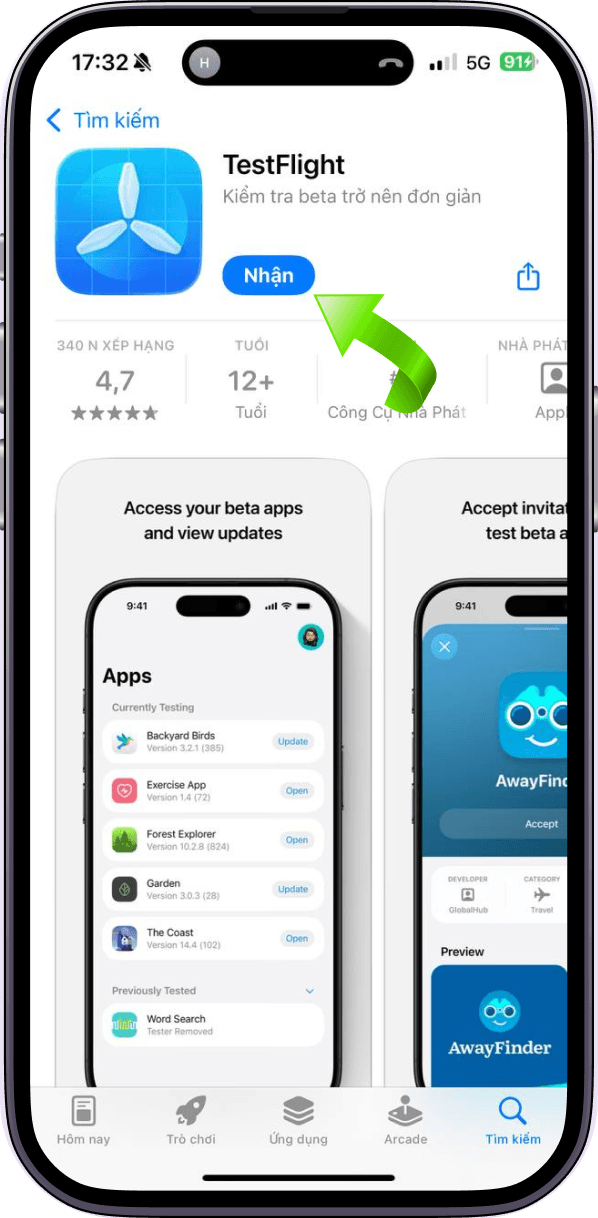
Download TestFlight
First, you need to install Apple's free TestFlight app from the App Store.
 Download TestFlight from App Store
Install BetaLaunch
After installing TestFlight, tap the button below to join the beta program. Choose "Accept" and "Install" when prompted.



Android Installation Guide
Follow the steps below to download and install the beta APK version directly on your device.

Note: If your phone asks for permission, choose Allow installation from unknown sources to continue.
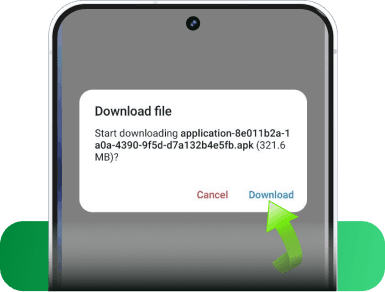
Download the App
First, you need to download the application's APK file by clicking the button below or scanning the QR code.


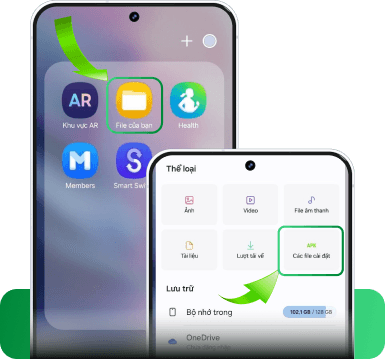
Open and Install from File Manager
Once the download is complete, open the File Manager app on your phone.
Go to the Downloads folder to see the recently downloaded file.
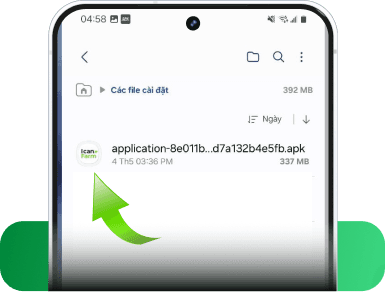
Find the App File
Locate the file with the application name (.APK extension) and the app icon, then tap on it.

Start Installation & Finish
The installation screen will appear → tap Install to continue. Wait a few seconds for the installation to complete and start using.